![509383c8-8b3f-40e4-a2c1-c7c325b16164-3.webp]](https://myfliip-21229458.hs-sites.com/hs-fs/hubfs/509383c8-8b3f-40e4-a2c1-c7c325b16164-3.webp?height=50&name=509383c8-8b3f-40e4-a2c1-c7c325b16164-3.webp)
Existing customer
If you’re an existing customer using the FLiiP Web App and wish to maintain a consistent look with your current platform, simply provide the following asset:
App Icon-
- Displayed on your members' mobile devices
- Format: JPG/PNG
- Dimensions: 1536 x 1536 pixels
Once you have your app icon ready, email it to mobile.whitelabel@myfliip.com and include your CSM in CC.
We’ll share a demo video of your custom app for your review.
New customer
If you haven’t started using the FLiiP Web App yet, please gather the following assets and email them to mobile.whitelabel@myfliip.com, making sure to copy your CSM.
- Gym Logo
Format: JPG/PNG (with transparent background)
Dimensions: 1536 x 1536 pixels
Ensure the logo background is transparent. This tool could help.
Example:

- App Icon
Displayed on your members’ mobile devices
Format: JPG/PNG
Dimensions: 1536 x 1536 pixels

- Introduction Slides (Welcome Screens)
Displayed after registration or first login
Format: JPG/PNG
Aspect Ratio: 2:3
Example (LINK):
If needed, ask your CSM to provide an editable version of the template.
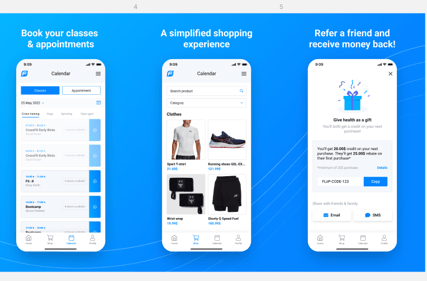
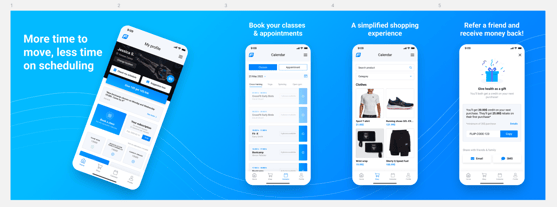
- App Store Screenshots
Images for the App Store and Google Play
Format: JPG/PNG
Dimensions: 1536 x 1536 pixels
Example (LINK):
If needed, ask your CSM to provide an editable version of the template.
- Primary Color
Usage: Used for buttons, navigation bar, and other interface elements
Format: HEX code (e.g., #FFFFFF) - Default App Theme (for multi-location apps only)
Choice: Light or dark theme
Applied to all gyms in the group (mobile app only)
Does not affect the web platform appearance - App Store Description
A short description for the App Store and Google Play
Maximum 4000 characters
Please provide in all required languages
Example:
The [YOUR GYM NAME] app lets you
- Book classes
- Rate your experience
- Communicate with the administration
- Manage your memberships and payments
- Quickly access all your locations!